

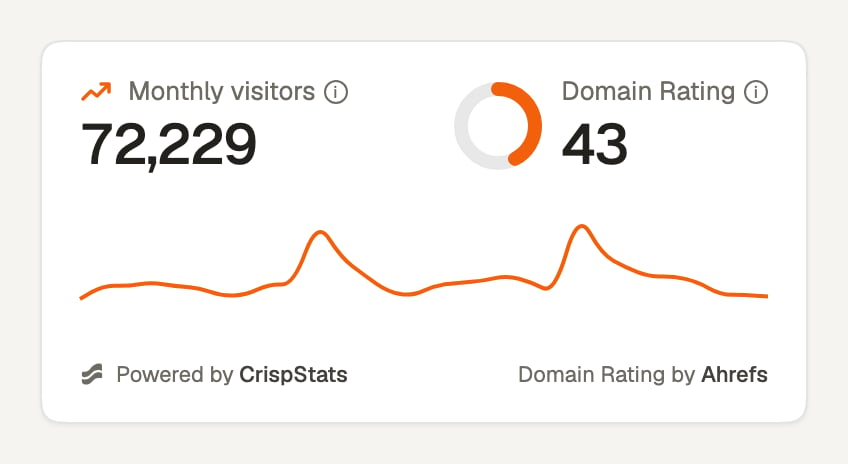
Site summary, light page
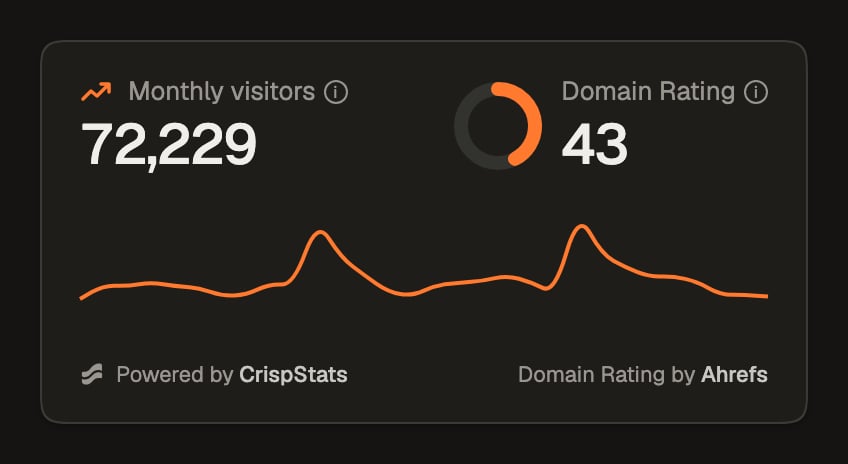
Site summary, dark page
What it shows
The info marks are real buttons: they take keyboard focus, and screen readers announce the explanation. Hovering shows it as a tooltip.
When parts are left out
Creating a site summary on a site that has never been read asks Ahrefs for the first rating straight away, as a Domain Rating widget does. See Domain Rating.
Sizes and styles
The card keeps a 2:1 shape at every size, in all five styles and with any accent:
Label replaces the heading “Monthly visitors”, such as
Readers this month. The Domain Rating heading and both credits cannot be changed, and the Credit switch is locked on for this widget on every plan.
Add the widget
- Open Settings, Sharing and widgets and pick Site summary card, the first tile under Show growth.
- Pick a size and a style, then select Create widget.
- Copy the code. On a page, the script draws the card with both links:


The README image
monthly visitors and 72.2k, so it needs no Ahrefs line:
cs_wd_7Hq2Lx9PzK4mVt8RbN3cW1yD. The iframe, Notion and React forms are on Embed a widget.
Try it with the demo
This code shows the demo site’s summary, served from generated data. Paste it in any page to see the card:What becomes public
The visitors in the last 30 days, their daily values for the line, your Domain Rating and the day it was read, and your site’s name and domain. Nothing else: no pages, sources, countries or revenue. In the JSON answer,data carries exactly these fields and view the same figures as text:
Next steps
Domain Rating
How the rating is read, and the attribution Ahrefs requires.
Traffic figures
Visitors, pageviews or sessions over any range.
Embed a widget
Script, iframe, README, Notion, shields.io and React.